How to Reset an Air Purifier Filter Light Without Guesswork
Reset an air purifier filter light in 3 steps—close the cover, use the model’s reset control, and hold it for the manual’s listed time, often 3 to 10…
How to Reset an Air Purifier Filter Light Without Guesswork
Last updated: November 27, 2026
How to Reset an Air Purifier Filter Light Without Guesswork
Quick answer: reset an air purifier filter light in 3 steps—close the cover, use the model’s reset control, and hold it for the manual’s listed time, often 3 to 10 seconds. If that does not work, power the unit off for about 30 seconds, then try the same sequence again after the filter cover is back in place. This guide on How to Reset an Air Purifier Filter Light Without Guesswork keeps the steps model-specific, because the exact sequence depends on the purifier. air cleaners and air filters for the home
Key takeaways
- The reset method depends on the model, not just the brand name.
- A filter light usually clears only after the purifier sees the right reset signal from the control panel.
- The manual matters because some units use one button, while others use a two-button hold or a 3-to-10 second press.
- A power cycle can help when the panel seems stuck, but it is not a substitute for the manual procedure.
- If the light returns right away, the problem may be the filter cover, sensor, or a filter that the unit still reads as due.
What the filter light is telling you
The filter light is a reminder on the control panel, not a diagnosis by itself. On many air purifiers, it means the unit has reached a run-time limit and wants a filter check or replacement, then a reset. The EPA explains that air cleaners and filters are maintenance items, not one-time purchases. air cleaners and air filters for the home The AHAM room air cleaner resources also explain that performance and maintenance vary by model. AHAM room air cleaners
That matters because the light can stay on even after the filter has been cleaned or changed. A reader looking for a quick fix usually needs the reset sequence, not a repair job. The right place to start is the manual for the exact model number, because a Levoit, Coway, Honeywell, or Dyson unit may use a different control-panel reset. Consumer Reports notes that filter replacement timing can vary widely by design and use. air purifier buying guide
Therefore, generic advice falls short. A filter light on one air purifier may clear with a 3-second press of a reset button, while another needs a 5- to 10-second hold on the filter icon. If the model uses a locked control panel or a filter change setting inside the display, the steps can shift again.
For background on air cleaners and filter use, the U.S. EPA has a consumer page on air cleaners and air filters for the home, and AHAM maintains resources on room air cleaners and performance standards. Those sources do not replace your manual, but they help explain why filter care matters.
How do you reset an air purifier filter light?
You reset an air purifier filter light by following the model’s control-panel reset step after the filter is serviced and the cover is back in place. Most units use one of three patterns: a dedicated reset button, a press-and-hold on the filter indicator, or a button combination named in the manual.
-
Use the manual to identify the exact reset control.
Find the model number on the back, bottom, or side of the air purifier, then check the manual for the filter light or filter reset section. The result you want is one specific instruction, not a guess based on the brand name. -
Use the control panel to press the reset button or filter icon.
Press and hold the reset control for the time listed in the manual, which is often a few seconds rather than a quick tap. The light should blink, turn off, or change color when the unit accepts the command. -
Use the filter-cover latch to close the unit fully.
Seat the filter cover until it clicks or sits flush, because some purifiers will not clear the alert with the panel open. A loose cover can keep the indicator light on even when the filter step was done correctly. -
Use a power cycle to clear a stuck display.
Turn the purifier off, unplug it for about 30 seconds, then plug it back in and repeat the reset step. This can clear a control-panel hiccup, but it should not replace the manual reset sequence. -
Use the manual again if the light stays on.
Go back to the exact model instructions and look for a second reset path, such as a button combination or a longer hold. Some units need the filter reminder reset after power returns, not before.
A fast example helps: a purifier with a labeled “Filter Reset” button usually needs a simple hold, while a unit with only a display panel may need a menu press or two-button hold. In practice, that difference changes the steps, not the goal.
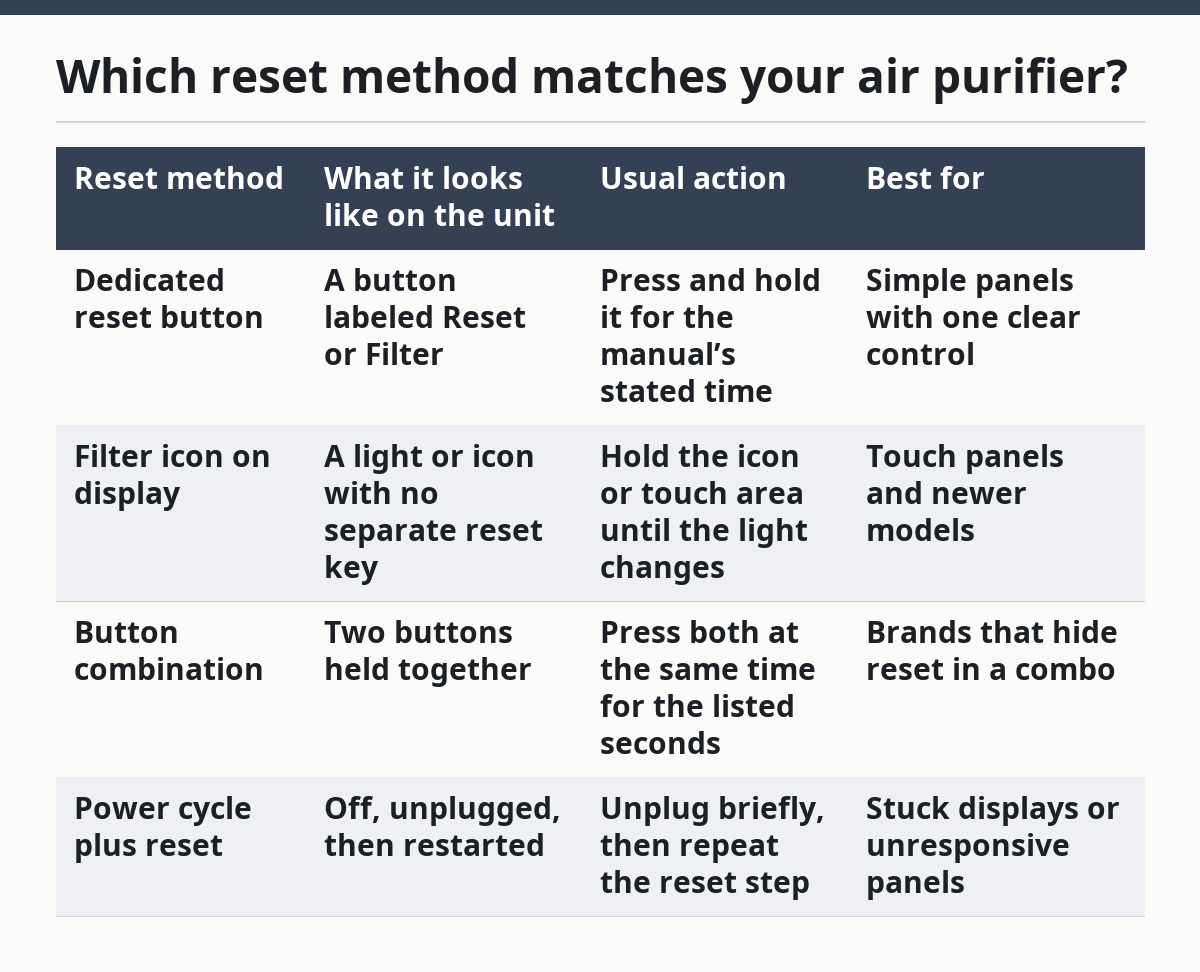
Which reset method matches your air purifier?
The right reset method depends on the control panel, the button layout, and whether the light is tied to one filter or several. Because of that, a manual beats a forum guess every time.
| Reset method | What it looks like on the unit | Usual action | Best for |
|---|---|---|---|
| Dedicated reset button | A button labeled Reset or Filter | Press and hold it for the manual’s stated time | Simple panels with one clear control |
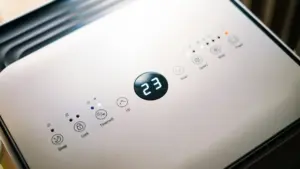
| Filter icon on display | A light or icon with no separate reset key | Hold the icon or touch area until the light changes | Touch panels and newer models |
| Button combination | Two buttons held together | Press both at the same time for the listed seconds | Brands that hide reset in a combo |
| Power cycle plus reset | Off, unplugged, then restarted | Unplug briefly, then repeat the reset step | Stuck displays or unresponsive panels |
If the control panel has a child lock, Wi-Fi button, or mode button nearby, do not assume it doubles as a reset. That mistake can change settings without clearing the light. The manual usually spells out the exact pair, and that one detail saves time. For setup details, a related air purifier filter replacement guide can also help.
This is the part many generic guides skip: not every reset is a button mash. Some purifiers use a maintenance menu, a long press, or a specific sequence after the cover is closed. If the manual says to hold for 5 seconds, a 1-second press will do nothing.
What should you check before you reset it?
You should check the filter fit, the cover, and the exact light behavior before you reset it. A reset works best when the unit can actually read the filter status the way it expects.
Start with the filter itself. If it is seated crooked, missing a frame, or not fully clicked into place, the purifier may ignore the reset. Many units expect the cover to be closed before they accept the signal from the control panel.
Then look at the light pattern. A steady filter light can mean a scheduled reminder, while a blinking light may point to a cover issue, a sensor prompt, or a reminder that has not been acknowledged yet. The manual will usually distinguish between those patterns, and that distinction matters more than the color alone.
Also check whether the unit has more than one indicator. Some air purifiers separate a pre-filter reminder from a main filter reminder. If you reset the wrong one, the other light stays on and the panel looks broken when it is not.
The cost of skipping this check is simple: you may repeat the reset sequence three or four times and think the purifier failed. In many cases, the real problem is a cover that is not latched or a filter that is not seated squarely. For cleaning steps, see the related air purifier cleaning guide.
Why does the light come back right away?
The light comes back right away when the purifier still sees a filter reminder condition or never accepted the reset command. That usually points to one of four things: the cover is open, the filter is not seated, the wrong button sequence was used, or the filter alert uses a second step in the manual.
This is where a little patience saves frustration. A quick tap on the reset button is often not enough. Many control panels want a hold of several seconds, and some units only register the reset after the fan is on a certain setting or after the machine is turned back on.
A power cycle can help if the display froze, but it will not fix a mismatched procedure. If the manual says to hold the filter icon while the unit is on, unplugging it first may only add another step to the process. Use the power cycle as a reset aid, not as the main method.
This page is meant to help with the reset process itself. For a deeper troubleshooting walk-through when the light will not clear, the related repair page in the air purifier maintenance and ownership hub is the better next stop. air purifier maintenance and ownership hub
What mistakes cause the reset to fail?
The most common mistakes are using the wrong control, resetting before the cover is closed, and assuming every model uses the same 3-second hold. Those errors waste time and make a normal indicator look like a broken purifier.
A frequent mistake is pressing a nearby button such as mode, timer, or fan speed. That can change the setting without touching the filter reminder. Another mistake is skipping the manual because the panel “looks obvious.” On many units, the reset is hidden in a button combo that is easy to miss.
A third mistake is trying to reset the light before the filter is installed correctly. The unit may simply return to the alert as soon as it powers up. If the filter change happened recently, the cover and alignment are worth checking before you press anything.
The trade-off is clear: following the manual feels slower for one minute, but guessing can take ten minutes and still leave the light on. A model-specific reset is the shortest path when you want the indicator cleared and the purifier ready to run.
When should you stop guessing and use the manual?
You should use the manual as soon as the first reset attempt fails or the control panel has more than one filter-related light. That is the point where brand memory stops helping and model-specific instructions matter.
The manual is especially useful on units with touch panels, hidden menus, or button combinations. A simple “press and hold” can mean 3 seconds on one model and 10 seconds on another, and the wrong timing changes the result. If the machine has a replace-filter light and a pre-filter light, the manual also tells you which one you are clearing.
This is the honest limit of any broad guide: no single reset method fits every purifier. A reader with a Philips, Blueair, Levoit, Coway, or Honeywell unit may all need different steps even when the symptom looks identical. That is why the model number matters more than the brand name on the front. If the model name is hard to spot, check the label on the back or bottom first.
If you want the shortest path, use the manual first, then the control panel, then a short power cycle if needed. That order avoids random button pressing and keeps the problem narrow.
Why won’t my air purifier filter light reset?
The filter light often will not reset because the unit did not accept the button press, the cover is not fully closed, or the wrong reset method was used for that model. A power cycle can help if the display is stuck, but the manual still decides the correct sequence. If the light returns right away, the purifier may still detect an open cover or an unseated filter.
Does the filter light mean the filter is bad?
The filter light usually means the purifier wants attention, not that the filter is ruined. On many models it is a timed reminder based on run time, not a direct test of filter condition. The manual should tell you whether the light means clean, check, or replace, so the indicator does not get more blame than it deserves.
Do all air purifiers reset the same way?
No, air purifiers do not reset the same way. Some use a dedicated reset button, some use a touch-panel hold, and some need a two-button combination or a menu step. The model number and manual are the most reliable way to find the exact sequence, especially on units with a locked control panel or multiple filter indicators.
Drafted with AI; not yet reviewed by a person.